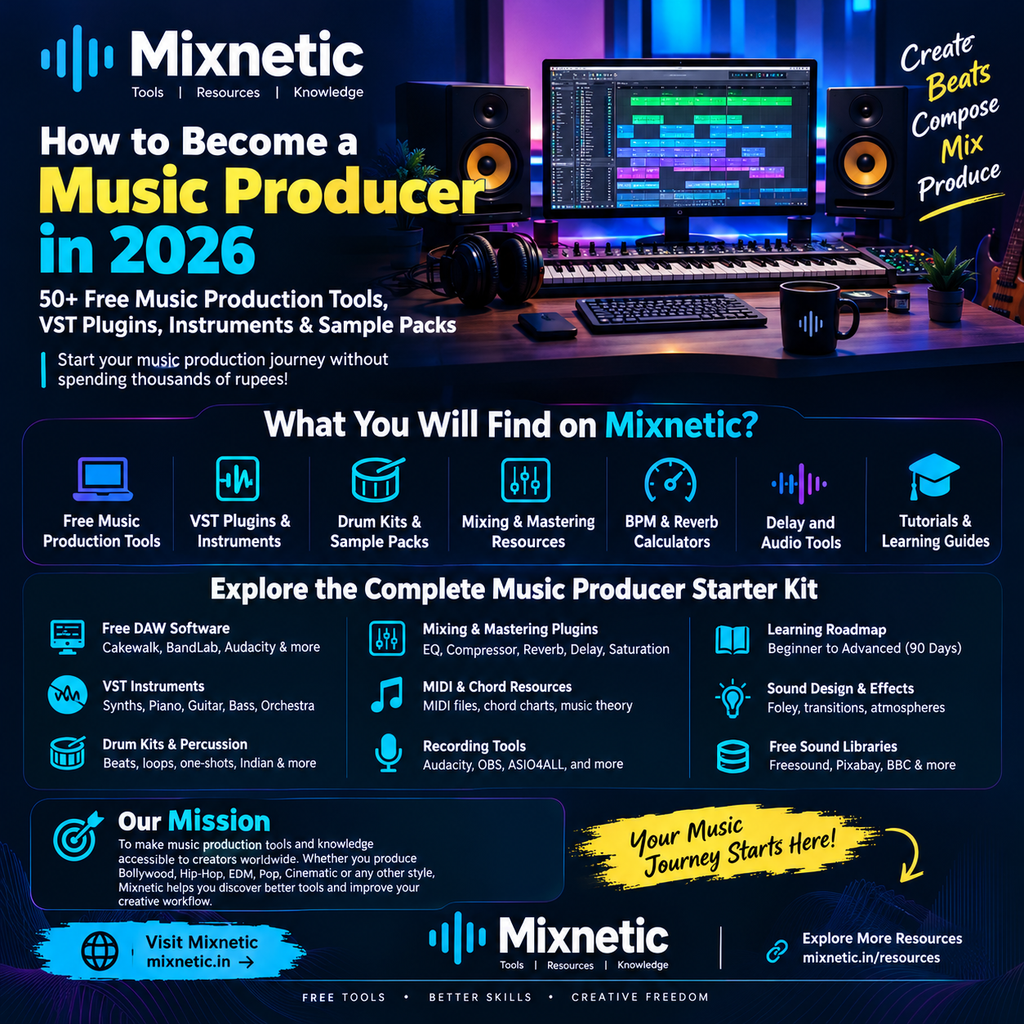
Want to become a Music Producer? Start your music production journey without spending thousands of rupees!
Music production is an exciting skill that allows you to create beats, compose melodies, arrange songs, record vocals and produce professional music.
But when beginners start learning music production, they often face one big problem: Where should I start, and which software or plugins should I download?
Don’t worry! This complete beginner’s guide will help you build your own music production setup using free software, instruments, VST plugins, sample packs and learning resources.
Whether you want to produce Bollywood music, Bhojpuri songs, Hip-Hop, EDM, Pop, Devotional music or background scores, these resources can help you get started.
PART 1: Essential Music Production Software
1. Best Free DAW Software
A DAW (Digital Audio Workstation) is the main software used to create, record, arrange, edit and mix music.
Here are some options for beginners.
| Software | Best For | Price |
|---|---|---|
| Cakewalk Next | Recording and production | Free tier |
| Cakewalk Sonar | Advanced recording and mixing | Free tier |
| Waveform Free | Complete music production | Free version |
| BandLab Studio | Online music creation | Free tier |
| Audacity | Audio recording and editing | Free |
| Nota DAW | Music creation and sequencing | Free, open source |
Official Download Links
- Cakewalk Next: https://www.cakewalk.com/next
- Cakewalk Sonar: https://www.cakewalk.com/
- Waveform Free: https://www.tracktion.com/products/waveform-free
- BandLab: https://www.bandlab.com/
- Audacity: https://www.audacityteam.org/
- Nota DAW: https://nota-daw.github.io/nota-site/
My recommendation: Choose one DAW and learn it properly. If you already have Cubase or FL Studio, you don’t need to change your DAW just because another software is free.
PART 2: Free VST Instruments
VST instruments are used to create musical sounds inside your DAW. You can use them for melodies, chords, bass, leads, pads, strings, piano and many other sounds.
2. Best Free Synthesizers
| Plugin | Features | Download |
|---|---|---|
| Vital | Wavetable synthesizer | https://vital.audio/ |
| Surge XT | Advanced hybrid synthesizer | https://surge-synthesizer.github.io/ |
| Dexed | FM synthesizer | https://asb2m10.github.io/dexed/ |
| TAL-NoiseMaker | Analog-style synthesizer | https://tal-software.com/products/tal-noisemaker |
| Helm | Virtual synthesizer | https://tytel.org/helm/ |
| OB-Xd | Classic analog-style sounds | https://www.discodsp.com/obxd/ |
| Zebralette | Synthesizer and sound design | https://u-he.com/products/zebralette/ |
| Odin 2 | Powerful synthesizer | https://thewavewarden.com/pages/odin-2 |
| BBC Micro | Compact synthesizer | https://bedroomproducersblog.com/ |
Check each developer’s current free edition and licence before installing.
3. Free Piano and Keyboard Instruments
Piano is one of the most important instruments for learning chords, melodies and music theory.
| Instrument | Features | Download |
|---|---|---|
| Keyzone Classic | Acoustic and electric piano sounds | https://www.bitsonic.eu/keyzoneclassic |
| Piano One | Yamaha C7-inspired piano | https://neovst.com/piano-one/ |
| Decent Sampler | Plays sampled instruments | https://www.decentsamples.com/ |
| Salamander Piano | Detailed sampled grand piano | https://freepats.zenvoid.org/Piano/acoustic-grand-piano.html |
| Piano in 162 | Free sampled piano library | https://www.pianobook.co.uk/ |
4. Free Guitar and Bass Instruments
You can create guitar-based melodies, basslines and arrangements without purchasing expensive libraries.
- Ample Guitar M Lite: https://www.amplesound.net/en/pro-pd.asp?id=7
- Ample Bass P Lite: https://www.amplesound.net/en/pro-pd.asp?id=19
- Ample Guitar T Lite: https://www.amplesound.net/en/pro-pd.asp?id=8
- Spicy Guitar: https://www.spicyguitar.com/
- Decent Sampler: https://www.decentsamples.com/
Some instruments are limited editions, so check the available articulations and features before downloading.
5. Free Orchestra and Cinematic Instruments
If you want to produce Bollywood music, cinematic music, devotional songs or background scores, orchestral instruments are extremely useful.
| Resource | Instrument Category | Download |
|---|---|---|
| Virtual Playing Orchestra | Strings, brass, woodwinds | https://virtualplaying.com/ |
| Sonatina Symphonic Orchestra | Orchestra | https://sso.mattiaswestlund.net/ |
| Pianobook | Piano, strings and cinematic instruments | https://www.pianobook.co.uk/ |
| Decent Sampler | Sampled instruments | https://www.decentsamples.com/ |
| FreePats | Free instrument samples | https://freepats.zenvoid.org/ |
Important: Many of these are sample libraries rather than standalone VST instruments. You may need a compatible sampler to play them.
PART 3: Free Drum Kits and Percussion
6. Free Drum VST Plugins
Drums are the foundation of many music productions. These plugins can help you create beats, rhythms and percussion patterns.
| Plugin | Use | Download |
|---|---|---|
| Sitala | Drum sampler | https://decomposer.de/sitala/ |
| MT Power Drum Kit | Acoustic drum kit | https://www.powerdrumkit.com/ |
| Steven Slate Drums 5.5 Free | Acoustic drums | https://stevenslatedrums.com/ssd5/ |
| DrumGizmo | Open-source drum sampler | https://drumgizmo.org/ |
| Decent Sampler | Sample-based drum instruments | https://www.decentsamples.com/ |
7. Free Drum Kits and Sample Packs
Download free drum sounds, one-shots, loops and percussion samples.
| Website | Available Sounds | Link |
|---|---|---|
| Cymatics | Drum kits, loops, MIDI | https://cymatics.fm/pages/free-download-vault |
| BandLab Sounds | Loops and one-shots | https://www.bandlab.com/sounds |
| MusicRadar | Free sample collections | https://www.musicradar.com/news/tech/sampleradar |
| SampleScience | Free sample packs and instruments | https://www.samplescience.info/ |
| Bedroom Producers Blog | Free sample and plugin resources | https://bedroomproducersblog.com/ |
| Freesound | Community audio samples | https://freesound.org/ |
| Sample Focus | Community sample library | https://samplefocus.com/ |
For Indian Music Producers: Search for Dholak, Tabla, Indian Percussion, Harmonium, Bansuri, Manjira, Tasha and Indian Rhythm samples.
Always check the licence for each sample. Not every community-uploaded sound is automatically cleared for commercial use.
PART 4: Free Mixing and Mastering Plugins
8. Free EQ Plugins
Equalizers help you control frequencies and improve the clarity of your tracks.
| Plugin | Main Function | Download |
|---|---|---|
| TDR Nova | Dynamic EQ | https://www.tokyodawn.net/tdr-nova/ |
| MEqualizer | Parametric EQ | https://www.meldaproduction.com/MEqualizer |
| ReaEQ | Parametric EQ | https://www.reaper.fm/reaplugs/ |
| Blue Cat Triple EQ | Three-band EQ | https://www.bluecataudio.com/Products/Product_TripleEQ/ |
9. Free Compressor Plugins
Compression helps control dynamics, improve consistency and shape sounds.
- TDR Kotelnikov: https://www.tokyodawn.net/tdr-kotelnikov/
- ReaComp: https://www.reaper.fm/reaplugs/
- Kilohearts Compressor: https://kilohearts.com/products/kilohearts_essentials
- RoughRider 3: https://www.audiodamage.com/pages/free-downloads
10. Free Reverb and Delay Plugins
Use these plugins to add space, depth and movement to your music.
| Plugin | Effect | Download |
|---|---|---|
| Valhalla Supermassive | Reverb and delay | https://valhalladsp.com/shop/reverb/valhalla-supermassive/ |
| TAL-Reverb-4 | Reverb | https://tal-software.com/products/tal-reverb-4 |
| OrilRiver | Algorithmic reverb | https://www.kvraudio.com/product/orilriver-by-denis-tihanov |
| Dragonfly Reverb | Reverb collection | https://michaelwillis.github.io/dragonfly-reverb/ |
| TAL-Dub-X | Dub-style delay | https://tal-software.com/products/tal-dub-x |
11. Free Saturation, Distortion and Creative Effects
- Softube Saturation Knob: https://www.softube.com/saturationknob
- Chow Tape Model: https://chowdsp.com/products.html
- Kilohearts Essentials: https://kilohearts.com/products/kilohearts_essentials
- MeldaProduction MFreeFXBundle: https://www.meldaproduction.com/MFreeFXBundle
- Xfer OTT: https://xferrecords.com/freeware
Kilohearts Essentials includes a collection of 34 free effects, including compressor, chorus, delay, distortion, EQ, reverb and more.
PART 5: Free Mixing and Mastering Utilities
12. Essential Audio Analysis Plugins
These tools help you understand what is happening inside your mix.
| Plugin | Purpose | Download |
|---|---|---|
| Voxengo SPAN | Spectrum analyzer | https://www.voxengo.com/product/span/ |
| Youlean Loudness Meter 2 | LUFS and loudness measurement | https://youlean.co/youlean-loudness-meter/ |
| TDR Prism | Audio spectrum analysis | https://www.tokyodawn.net/tdr-prism/ |
| dpMeter5 | Loudness and peak measurement | https://www.tbproaudio.de/products/dpmeter5 |
| Orban Loudness Meter | Loudness monitoring | https://www.orban.com/meter |
13. Free Stereo and Utility Plugins
- A1StereoControl: https://www.alexhilton.net/A1AUDIO
- Voxengo MSED: https://www.voxengo.com/product/msed/
- Melda MUtility: https://www.meldaproduction.com/MUtility
- Kilohearts Stereo: https://kilohearts.com/products/kilohearts_essentials
- ReaFIR: https://www.reaper.fm/reaplugs/
PART 6: Free MIDI, Chords and Music Theory Resources
14. Free MIDI Resources
MIDI files help you understand melodies, chord progressions, arrangements and musical structures.
- BitMidi: https://bitmidi.com/
- MIDI World: https://www.midiworld.com/
- MuseScore: https://musescore.org/
- Hooktheory: https://www.hooktheory.com/
Note: MIDI files from community websites may have copyright restrictions. Check the source and terms before using them in released music.
15. Free Music Theory Learning Websites
| Website | What You Can Learn | Link |
|---|---|---|
| MusicTheory.net | Notes, scales and chords | https://www.musictheory.net/ |
| Teoria | Music theory exercises | https://www.teoria.com/ |
| Hooktheory | Chord progressions | https://www.hooktheory.com/ |
| ToneGym | Ear training | https://www.tonegym.co/ |
| teoria.com | Ear training and theory | https://www.teoria.com/ |
Learn these topics first:
- Major and Minor Scales
- Chord Construction
- Triads and Seventh Chords
- Chord Progressions
- Musical Intervals
- Circle of Fifths
- BPM and Time Signatures
- Melody Writing
- Rhythm and Groove
PART 7: Free Recording and Audio Editing Tools
16. Recording Tools
| Software | Purpose | Download |
|---|---|---|
| Audacity | Recording and editing | https://www.audacityteam.org/ |
| OBS Studio | Screen and audio recording | https://obsproject.com/ |
| REAPER ReaPlugs | Audio processing plugins | https://www.reaper.fm/reaplugs/ |
| ASIO4ALL | Audio driver solution | https://asio4all.org/ |
| VB-Audio Virtual Cable | Virtual audio routing | https://vb-audio.com/Cable/ |
For vocal recording, you should learn microphone positioning, input gain, room noise control, pop filters and basic vocal editing.
PART 8: Free Sound Design and Production Resources
17. Free Sound Libraries
- Freesound: https://freesound.org/
- Pixabay Sound Effects: https://pixabay.com/sound-effects/
- BBC Sound Effects: https://sound-effects.bbcrewind.co.uk/
- OpenGameArt Audio: https://opengameart.org/art-search-advanced?keys=&field_art_type_tid%5B%5D=13
You can use these resources to explore atmospheric sounds, foley, impacts, risers, transitions and sound effects. Check individual licence terms, especially for commercial projects.
PART 9: How to Build Your First Free Music Production Setup
If you are confused about which plugins to install first, use this starter setup.
| Production Task | Recommended Free Tool |
|---|---|
| DAW | Cakewalk Next |
| Synth | Vital |
| Advanced Synth | Surge XT |
| Piano | Keyzone Classic |
| Guitar | Ample Guitar M Lite |
| Bass | Ample Bass P Lite |
| Drum Sampler | Sitala |
| EQ | TDR Nova |
| Compressor | TDR Kotelnikov |
| Reverb | Valhalla Supermassive |
| Delay | Kilohearts Delay |
| Saturation | Softube Saturation Knob |
| Spectrum Analyzer | Voxengo SPAN |
| Loudness Meter | Youlean Loudness Meter |
This is a practical starting collection. You do not need to install everything on day one.
PART 10: How to Install VST Plugins in Cubase
If you use Cubase, follow these steps:
- Visit the official plugin website.
- Download the Windows VST3 installer if available.
- Run the installer.
- Keep the VST3 installation location at its default unless you have a reason to change it.
- Open Cubase.
- Open Studio > VST Plug-in Manager.
- Check whether the plugin is listed.
- If it is missing, check the VST3 folder and rescan plugins.
- Open an instrument or audio track and load the plugin.
Common VST3 Windows location:
C:\Program Files\Common Files\VST3
Important: Check whether the plugin supports your operating system, DAW version and processor architecture. Most modern Cubase setups should use 64-bit VST3 plugins.
PART 11: Beginner to Professional Music Producer: 90-Day Roadmap
Days 1–15: Learn the Basics
- Understand your DAW interface.
- Learn audio and MIDI tracks.
- Understand BPM and time signatures.
- Learn piano roll and MIDI editing.
- Practice major and minor scales.
Days 16–30: Start Creating Music
- Make your first drum pattern.
- Create chord progressions.
- Write simple melodies.
- Learn bassline programming.
- Arrange a short instrumental.
Days 31–45: Learn Sound Design
- Understand synthesizers.
- Learn presets and sound selection.
- Practice layering.
- Create pads, leads and bass.
- Explore Indian instruments and percussion.
Days 46–60: Learn Mixing
- Understand gain staging.
- Learn EQ.
- Practice compression.
- Understand reverb and delay.
- Learn stereo imaging.
- Balance vocals and instruments.
Days 61–75: Learn Advanced Production
- Learn automation.
- Practice vocal editing.
- Understand parallel processing.
- Learn bus processing.
- Work on transitions and arrangement.
Days 76–90: Complete Your First Project
- Create a complete song.
- Record or arrange vocals.
- Mix all tracks.
- Master your project.
- Export the final WAV file.
- Review your work and identify improvements.
PART 12: Important Advice for New Music Producers
- Don’t download hundreds of plugins without learning them.
- Learn one DAW properly.
- Practice music theory every day.
- Train your ears by listening to professional songs.
- Learn gain staging before using complicated effects.
- Keep your project files organized.
- Use headphones and monitors responsibly.
- Never use pirated plugins.
- Always check sample licences.
- Finish your projects instead of leaving them incomplete.
Conclusion
You don’t need an expensive studio or a huge plugin collection to become a music producer.
With the free tools and resources listed in this guide, you can start learning beat making, melody composition, arrangement, vocal recording, mixing and mastering.
The most important investment is not expensive software. It is your time, creativity and consistent practice.
Start today. Make your first beat. Improve every day. Become a Music Producer!
About Mixnetic
Start Creating Better Music Today
You don’t need expensive equipment to begin your journey. Learn the fundamentals, explore free tools, experiment with sounds and keep improving your skills.
Mixnetic | Tools, Resources & Knowledge for Music Producers.
Website: https://mixnetic.in/
Learn. Create. Produce. Repeat.